Features overview
Explore the features available now in the Govt.nz app.
Personalised emergency alerts
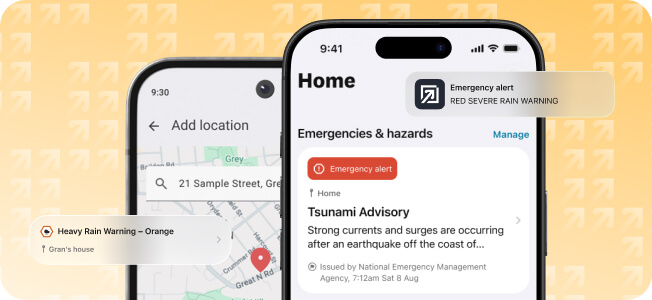
Access emergency mobile alerts and severe weather warnings from trusted sources — for the locations you care about. Alerts appear on your app’s home screen and stay there until the alert expires, even if you miss the notification.
Save more than one location — for example, home, work or where family live — and choose to receive a notification for every alert, or only the most important ones.
Examples of when you could use emergency alerts
- During severe weather or an emergency event — when you want to check what’s happening in a specific area.
- If you’re travelling within New Zealand or overseas — and want alerts for a location you’re not currently in.
- In areas with unreliable cell coverage — the app can receive alerts over Wi-Fi or satellite on supported networks and devices. This might be useful for reaching people in some rural and remote areas.
- If you support someone else — such as an elderly parent or family living elsewhere, and want to know what’s happening where they are.
Alerts are free, and come from trusted official sources, including:
- MetService and National Emergency Management Agency (NEMA).
- NZ Police and Fire and Emergency New Zealand (FENZ)
- local Emergency Management Committees.
How to: Setup personalised emergency alerts
Key question: Does this feature replace NZ’s existing emergency mobile alerts?
Digital wallet and credentials
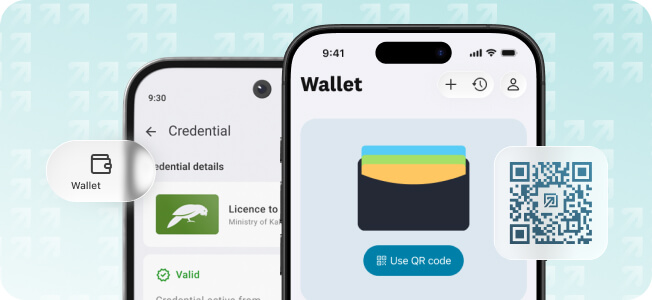
Credentials are expected to be available in the Govt.nz wallet from . In the meantime you can Setup and secure your digital wallet.
Store digital versions of licences, IDs and qualifications in one secure place. Share only the information needed when proving things about yourself or accessing services.
Examples of when you could use digital credentials
- Prove your age — when buying alcohol or entering an age-restricted venue without showing extra personal information.
- Verify your identity — when accessing a service, renting a car or opening an account.
- Show your qualifications at a workplace or job site — such as providing evidence of a trade qualification or certificate.
- When you aren’t carrying physical IDs — share IDs, licences or certificates digitally from your device.
How to: Setup and secure your digital wallet
Key question: Are my digital credentials secure in the wallet?
Access services and get information
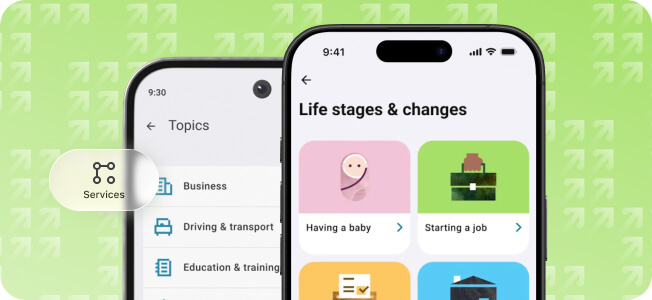
The Govt.nz app brings together selected government services into one secure place. Stay on top of life admin by browsing information by topic or life stages and changes.
Examples of topics and life stages in the app
Browse by topic
- Business
- Driving and transport
- Education and training
- Emergencies and hazards
- Family and whānau
- Health and care
- Housing and property
- Law, crime and justice
- Money and tax
- Passports, visas and citizenship
- Recreation and outdoors
- Support and benefits
- Travel and living overseas
- Work
Browse by life stages and changes
- Having a baby
- Transition to tertiary study
- Starting a job
- Enrolling to vote and voting
- Moving home
- Being over 65
- End of life
How to: Find a service by topic or life stage
Key question: What other features will be added in the future?
Key question: Does the government track what I do in the app?
Pin government tools and contacts
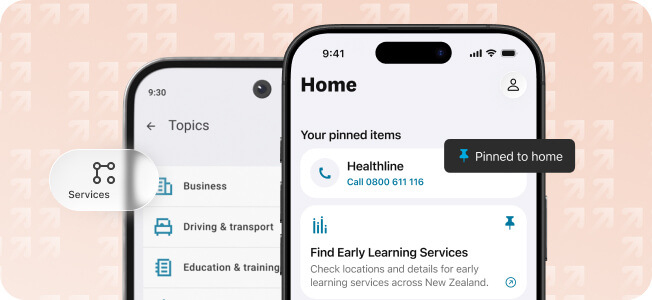
Pin government tools and contacts to your home screen for quick access to services that match your circumstances and needs.
Examples of tools and services you can pin
- Applications and services — Find my IRD number, Book a vaccine, Order birth, marriage, name change and death certificates.
- Information and directories — Road closures and delays, school term and holiday dates, Find early learning services, Find a school, Look for jobs.
- Contacts and support services — Healthline, Mental Health Helpline, 24/7 PlunketLine, Seniorline, Police non-emergency, local Emergency Management Committees.
- Calculators and planners — Leave and holidays calculator, Sorted budget planner, Home energy savings calculator, Health tools and calculators.
Featured tool: ‘Find my IRD number’